
csharp-bot.svg

.NET Aspire 是一组功能强大的工具、模板和包,用于构建可观察的生产就绪应用程序。.NET Aspire 通过处理特定云原生问题的 NuGet 包集合提供。云原生应用程序通常由小型互连部分或微服务组成,而不是单个整体式代码库。云原生应用程序通常会消耗大量的服务,例如数据库、消息收发和缓存。

.NET Aspire 旨在改善构建 .NET 云原生应用程序的体验。它提供了一组一致的、有主见的工具和模式,可帮助您构建和运行分布式应用程序。NET Aspire 旨在帮助您:

  • 编排:.NET Aspire 为本地开发环境提供了运行和连接多项目应用程序及其依赖项的功能。
  • 集成:.NET Aspire 集成是适用于常用服务(如 Redis 或 Postgres)的 NuGet 包,具有标准化接口,可确保它们与您的应用程序一致且无缝地连接。
  • 工具:.NET Aspire 附带适用于 Visual Studio、Visual Studio Code 和 .NET CLI 的项目模板和工具体验,可帮助你创建 .NET Aspire 项目并与之交互。

前提条件

安装.NET Aspire 模板

如果尚未安装 .NET Aspire 模板,请运行以下命令:

1
dotnet new install Aspire.ProjectTemplates

完成安装后,执行一下命令可看到aspire项目模板:

1
2
3
4
5
6
7
8
9
10
11
dotnet new list aspire

模板名 短名称 语言 标记
---------------------------- ---------------------- ---- -------------------------------------------------------
.NET Aspire 入门应用 aspire-starter [C#] Common/.NET Aspire/Blazor/Web/Web API/API/Service/Cloud
.NET Aspire 应用主机 aspire-apphost [C#] Common/.NET Aspire/Cloud
.NET Aspire 服务默认值 aspire-servicedefaults [C#] Common/.NET Aspire/Cloud/Web/Web API/API/Service
.NET Aspire 测试项目(MSTest) aspire-mstest [C#] Common/.NET Aspire/Cloud/Web/Web API/API/Service/Test
.NET Aspire 测试项目(NUnit) aspire-nunit [C#] Common/.NET Aspire/Cloud/Web/Web API/API/Service/Test
.NET Aspire 测试项目(xUnit) aspire-xunit [C#] Common/.NET Aspire/Cloud/Web/Web API/API/Service/Test
.NET Aspire 空应用 aspire [C#] Common/.NET Aspire/Cloud/Web/Web API/API/Service

从模板创建 .NET Aspire 空应用,请运行以下命令:

1
dotnet new aspire -o Stargazer

创建的应用是一个最小的 .NET Aspire 项目,包括以下内容:

集成服务

加入适用于常用服务(如 Redis 或 Postgres)的 NuGet 包Aspire.Hosting.PostgreSQLAspire.Hosting.RedisAspire.Hosting.MongoDB,然后在代码中创建docker容器:

1
2
3
4
5
6
7
8
9
10
11
12
13
14
15
16
17
18
19
20
21
22
23
24
25
26
27
28
29
30
31
32
33
34
35
36
37
38
39
40
41
42
43
44
45
46
47
48
49
50
51
using System.Runtime.InteropServices;

var builder = DistributedApplication.CreateBuilder(args);

string redisImage = "hub.atomgit.com/amd64/redis";
string postgresqlImage = "hub.atomgit.com/amd64/postgres";
string mongodbImage = "hub.atomgit.com/amd64/mongo";
Architecture architecture = RuntimeInformation.ProcessArchitecture;
if(architecture == Architecture.Arm
|| architecture == Architecture.Arm64)
{
redisImage = "hub.atomgit.com/arm64v8/redis";
postgresqlImage = "hub.atomgit.com/arm64v8/postgres";
mongodbImage = "hub.atomgit.com/arm64v8/mongo";
}

var redis = builder.AddRedis("redis", 6379)
.WithContainerName("redis")
.WithImage(redisImage, "7-alpine")
.WithDataVolume("redis")
.WithRedisCommander(null, "redis-commander");

var username = builder.AddParameter("postgres-uid", "postgres");
var password = builder.AddParameter("postgres-pwd", "123456");
var postgres = builder.AddPostgres("postgres", username, password, 5432)
.WithContainerName("postgres")
.WithImage(postgresqlImage, "15-alpine")
.WithDataVolume("postgres");
var postgresql = postgres.AddDatabase("postgresql");

var mongoUser = builder.AddParameter("mongo-user", "root");
var mongoPwd = builder.AddParameter("mongo-pwd", "123456");
var mongo = builder.AddMongoDB("mongo", 27017, mongoUser, mongoPwd)
.WithContainerName("mongo")
.WithImage(mongodbImage, "7-jammy")
.WithDataVolume("mongo");
var mongodb = mongo.AddDatabase("mongodb");

IResourceBuilder<ProjectResource> apiService = builder.AddProject<Projects.Stargazer_Abp_Template_Host>("api-service");

builder.AddProject<Projects.Stargazer_Abp_Template_Web>("frontend")
.WithExternalHttpEndpoints()
.WithReference(redis)
.WithReference(postgresql)
.WithReference(mongodb)
.WaitFor(redis)
.WaitFor(postgres)
.WaitFor(mongodb)
.WithReference(apiService);

builder.Build().Run();

启动应用程序

运行以下命令启动应用程序:

1
dotnet run --project Stargazer.AppHost

result.png
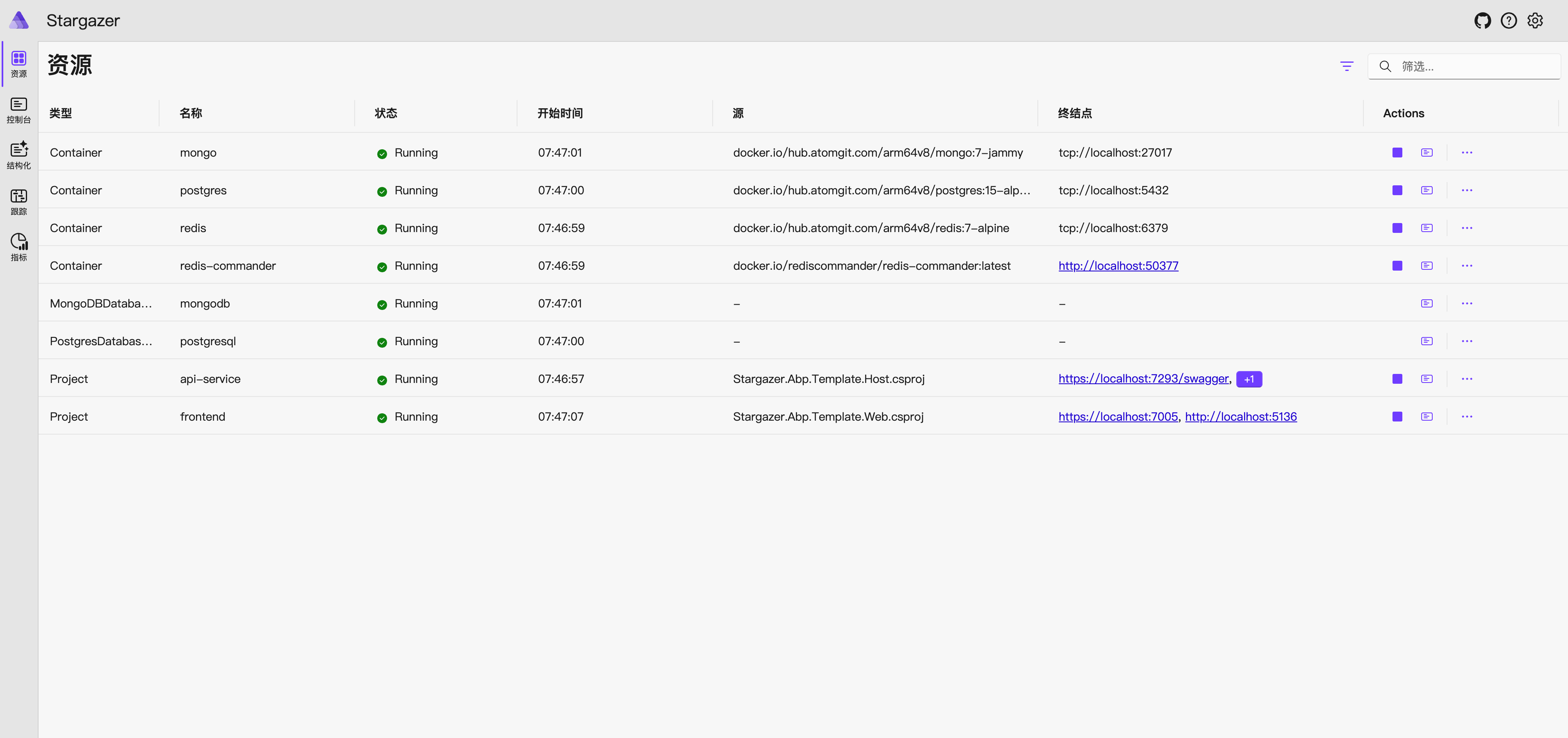
访问https://localhost:17125/login?t=337c3ec0bfdadd302fcdb467d76453ad,就可以使用.NET Aspire 仪表板。
dashboard.png
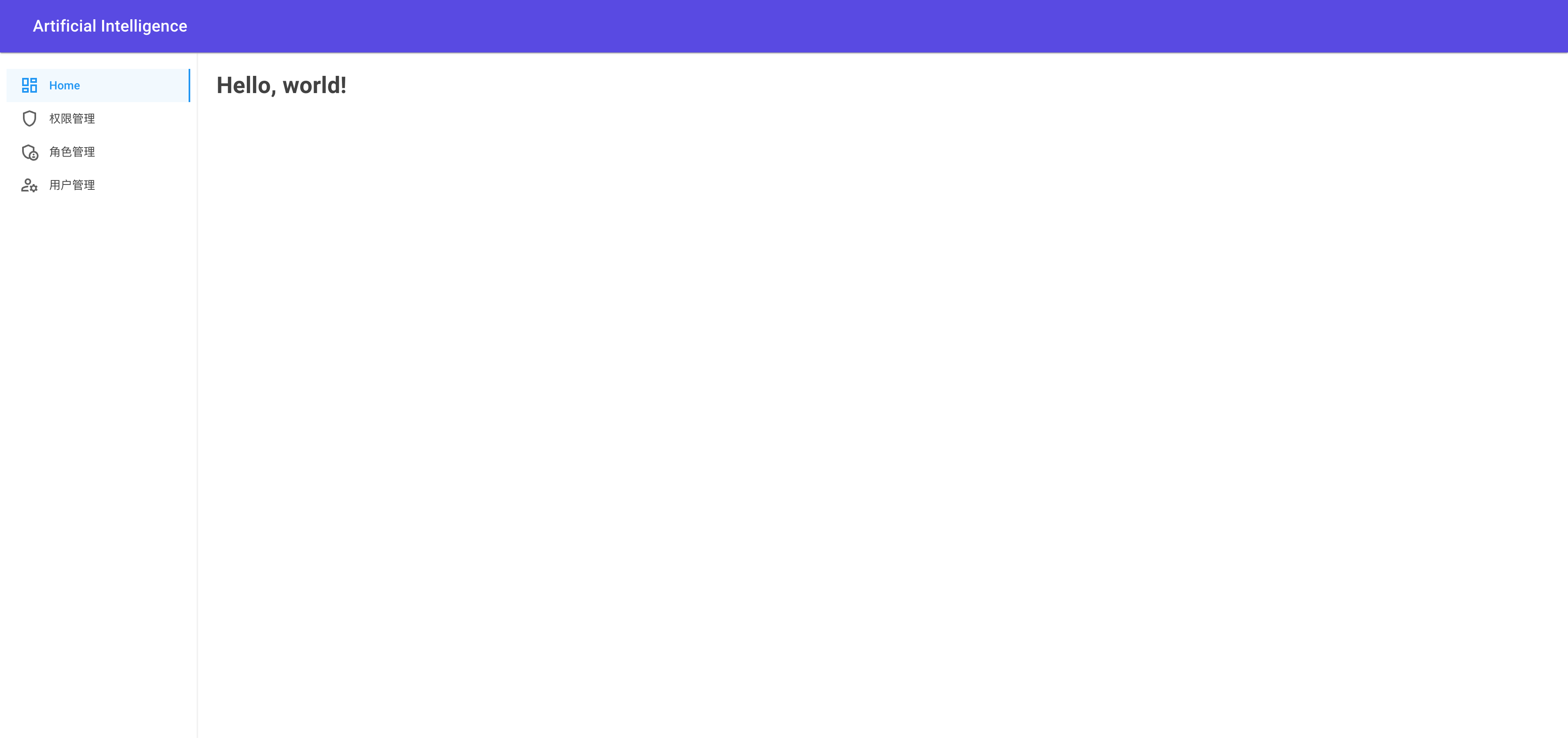
访问仪表板上的链接http://localhost:5136/,就可以访问应用程序。
project.png

相关链接