构建你的.NET Aspire解决方案

.NET Aspire 是一组功能强大的工具、模板和包,用于构建可观察的生产就绪应用程序。.NET Aspire 通过处理特定云原生问题的 NuGet 包集合提供。云原生应用程序通常由小型互连部分或微服务组成,而不是单个整体式代码库。云原生应用程序通常会消耗大量的服务,例如数据库、消息收发和缓存。
.NET Aspire 旨在改善构建 .NET 云原生应用程序的体验。它提供了一组一致的、有主见的工具和模式,可帮助您构建和运行分布式应用程序。NET Aspire 旨在帮助您:
- 编排:.NET Aspire 为本地开发环境提供了运行和连接多项目应用程序及其依赖项的功能。
- 集成:.NET Aspire 集成是适用于常用服务(如 Redis 或 Postgres)的 NuGet 包,具有标准化接口,可确保它们与您的应用程序一致且无缝地连接。
- 工具:.NET Aspire 附带适用于 Visual Studio、Visual Studio Code 和 .NET CLI 的项目模板和工具体验,可帮助你创建 .NET Aspire 项目并与之交互。
前提条件
- .NET 8.0 或 .NET 9.0
- 符合 OCI 标准的容器运行时,例如:
- 集成开发人员环境 (IDE) 或代码编辑器,例如:
- Visual Studio 2022 版本 17.9 或更高版本(可选)
- Visual Studio Code(可选)
- C# 开发工具包:扩展(可选)
- 带有 .NET Aspire 插件的 JetBrains Rider((可选)
安装.NET Aspire 模板
如果尚未安装 .NET Aspire 模板,请运行以下命令:
1 | dotnet new install Aspire.ProjectTemplates |
完成安装后,执行一下命令可看到aspire项目模板:
1 | dotnet new list aspire |
从模板创建 .NET Aspire 空应用,请运行以下命令:
1 | dotnet new aspire -o Stargazer |
创建的应用是一个最小的 .NET Aspire 项目,包括以下内容:
- Stargazer.AppHost:一个业务流程协调程序项目,旨在连接和配置应用程序的不同项目和服务。
- Stargazer.ServiceDefaults:一个 .NET Aspire 共享项目,用于管理在解决方案中与弹性、服务发现和遥测相关的项目中重复使用的配置。
集成服务
加入适用于常用服务(如 Redis 或 Postgres)的 NuGet 包Aspire.Hosting.PostgreSQL、Aspire.Hosting.Redis、Aspire.Hosting.MongoDB,然后在代码中创建docker容器:
1 | using System.Runtime.InteropServices; |
启动应用程序
运行以下命令启动应用程序:
1 | dotnet run --project Stargazer.AppHost |

访问https://localhost:17125/login?t=337c3ec0bfdadd302fcdb467d76453ad,就可以使用.NET Aspire 仪表板。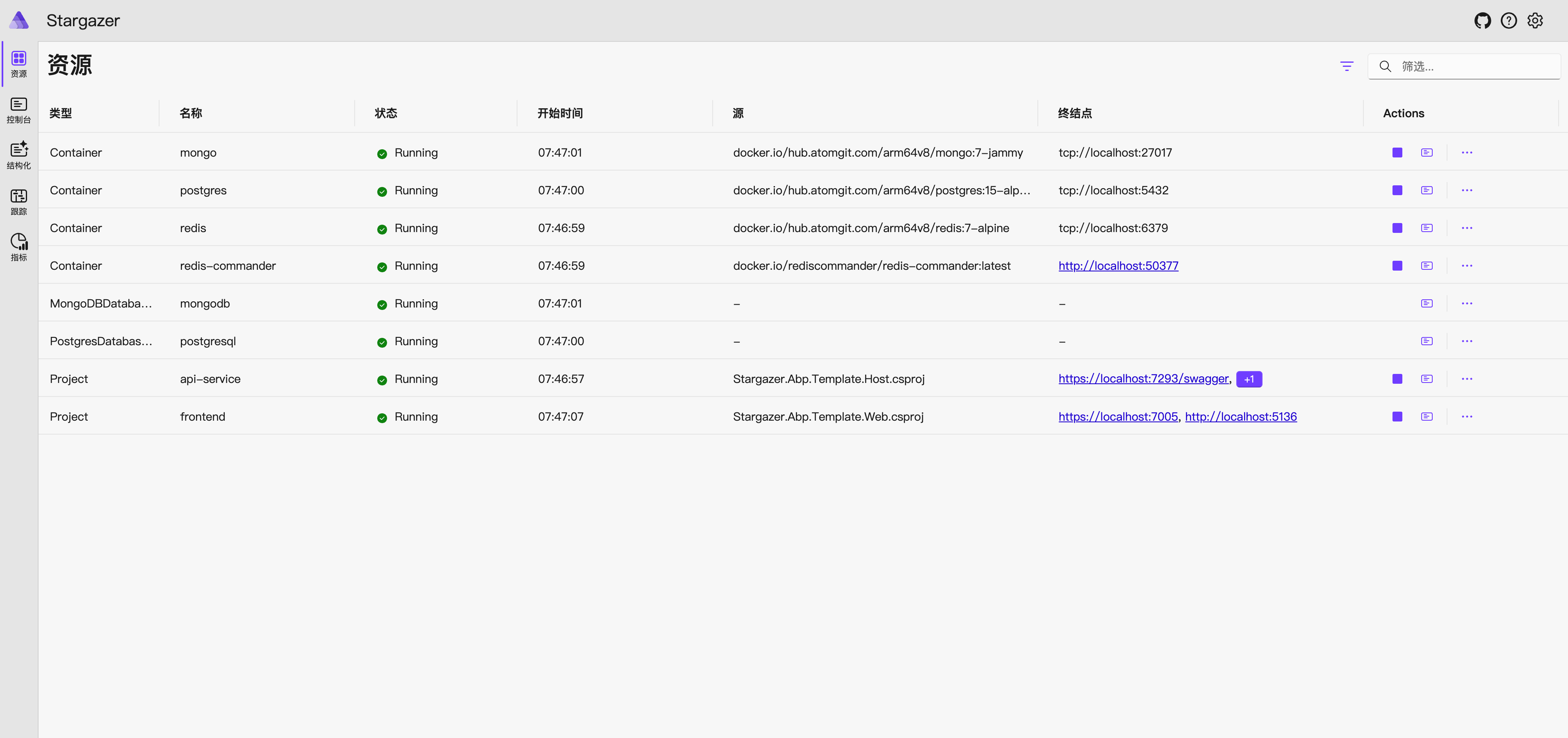
访问仪表板上的链接http://localhost:5136/,就可以访问应用程序。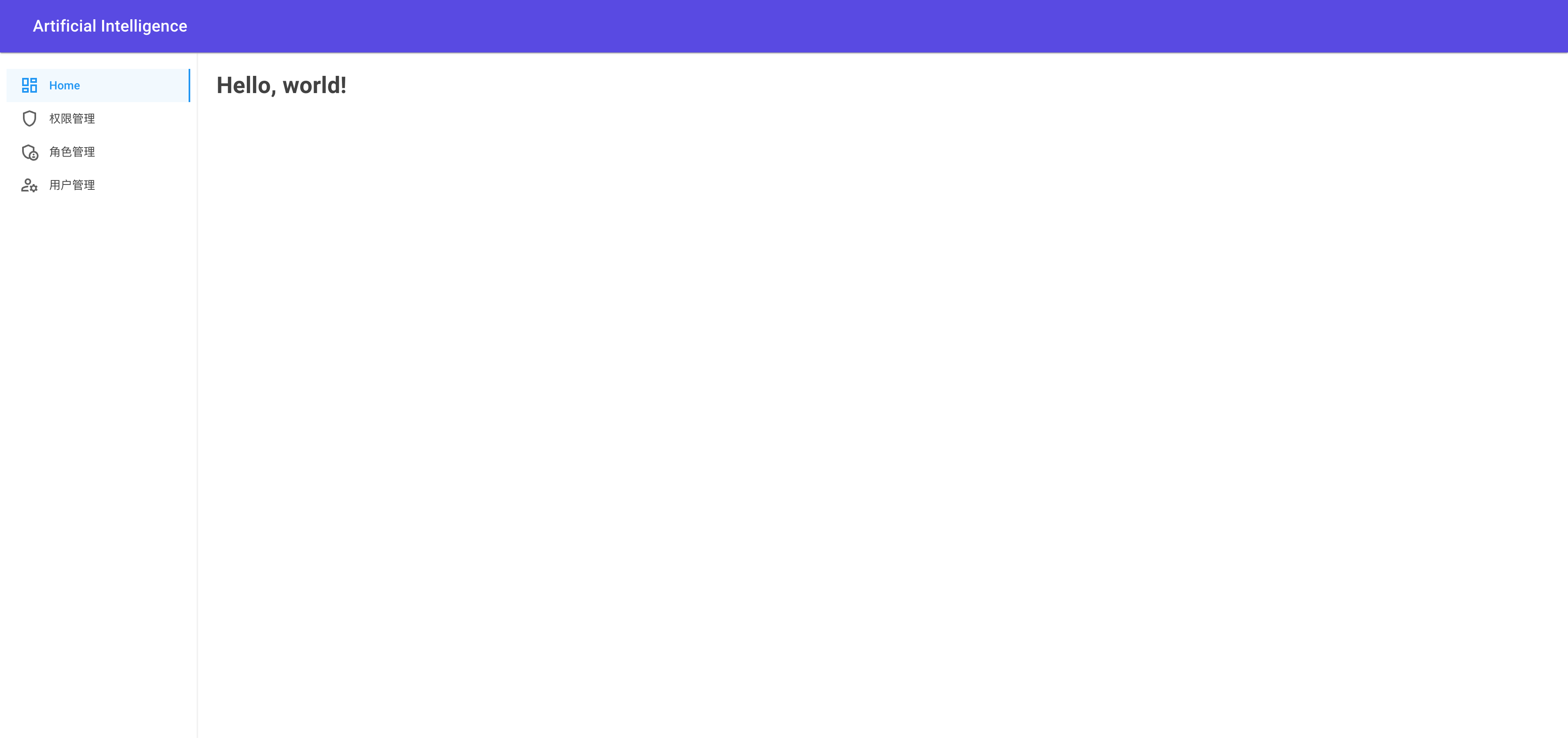
相关链接
本博客所有文章除特别声明外,均采用 CC BY-NC-SA 4.0 许可协议。转载请注明来自 Stargazer!
 wechat
 alipay
相关推荐




评论
公告
感谢您的来访和阅读,如果觉得博客对您有帮助,欢迎收藏本网站,关注我,一起交流学习。
您也可以用微信扫一扫下面的二维码关注我的公众号,第一时间接收网站更新信息。

如果您需要购买云服务,请点击本站的腾讯云推广链接进行购买,我也能有一份收入。
如果您需要购买阿里云服务,请通过该链接云小站购买。
如果经济上不支持,您也可以请我喝杯咖啡,非常感谢。
wechat:
alipay:
您也可以用微信扫一扫下面的二维码关注我的公众号,第一时间接收网站更新信息。
如果您需要购买云服务,请点击本站的腾讯云推广链接进行购买,我也能有一份收入。
如果您需要购买阿里云服务,请通过该链接云小站购买。
如果经济上不支持,您也可以请我喝杯咖啡,非常感谢。
wechat:
alipay: